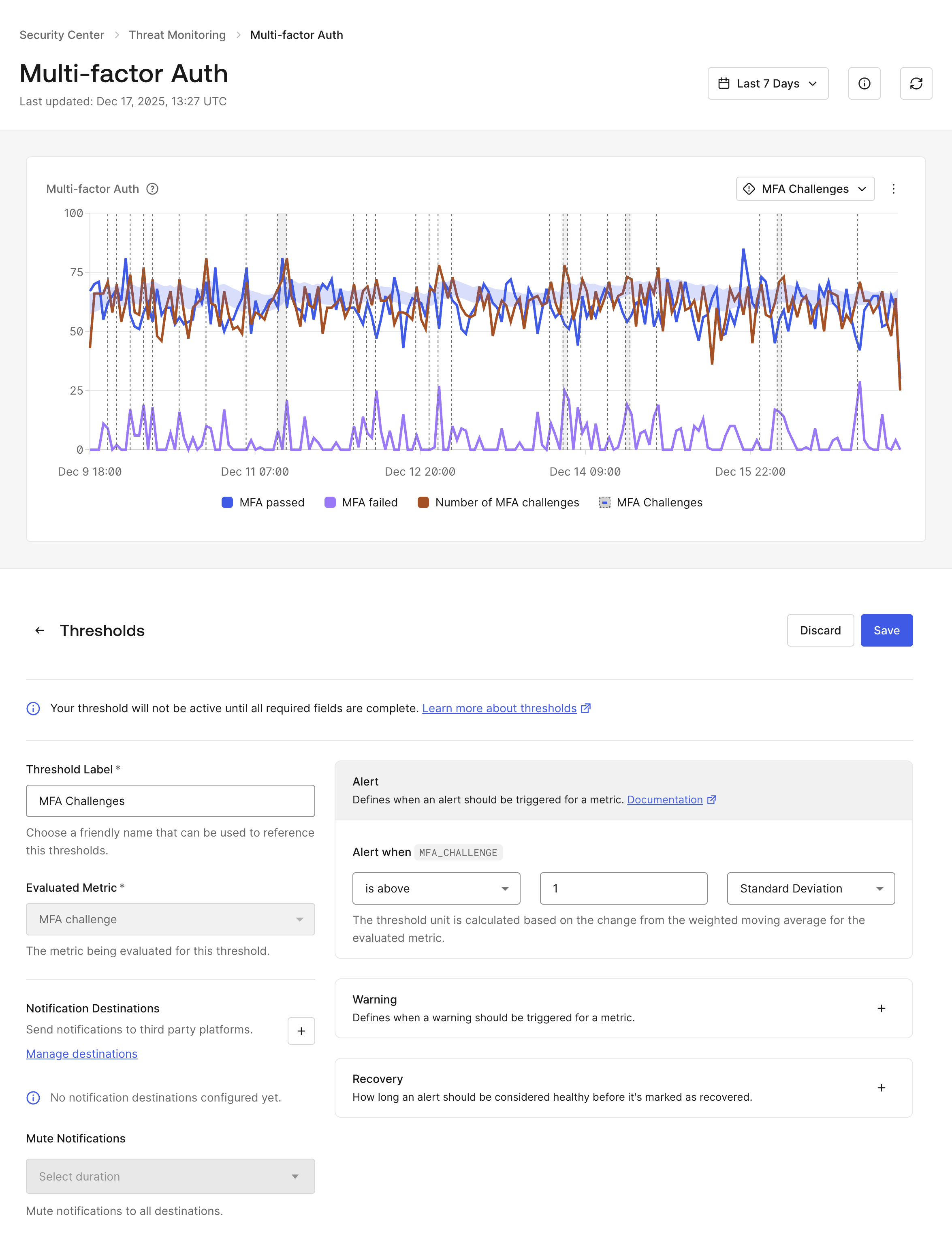
Security Alerts allow users to configure security metric thresholds in their Security Center.
Security monitoring alerts allow users to configure security metric thresholds in their Security Center. Numeric values for alert, warning, and recovery for each threshold can be specified, and user alert notifications can be configured to monitor when threat metric exceeds a set threshold.
Option
Description
Alert
A required numeric value that generates an alert notice when the evaluated metric breaches the provided value.
Warn
An optional numeric value that creates a warning notice when the evaluated metric breaches the value, if provided.
Recovery
An optional numeric value that creates a recovery notice when the evaluated metric has returned to a non-breached value, if provided.
Thresholds are calculated on a weighted moving average for a given metric and are customizable in your . Each defined threshold is viewable on your threat monitor metric charts and aggregated on an hourly basis; if no recovery threshold is configured, the recovery default to just below the set warning or alert threshold.
Thresholds apply to the original metric without filters. When filters are applied, the original threshold and filtered trend lines are visible.
Select the View Details icon in the top right corner.
Navigate to the Thresholds panel displayed underneath the detailed chart view and choose Create.
Name the threshold and configure the following settings:
When the threshold should trigger a warning
When the threshold should trigger an alert
When the threshold should recover
If notification destinations have been configured, the following choices are available:
Select a destination to receive the metric alert, warning, and recovery notices,
Create a new destination by selecting the +
Mute the notification temporarily or indefinitely to all threshold destinations in the Mute Notifications dropdown.
Select Save.
Thresholds can also be updated or removed in the expand view screen. Different thresholds on the same chart are behind the Threshold label carrot at the top right.
Notification destinations are endpoints to which alert, warning, and recovery notices are delivered. Each tenant is limited to two destination endpoints, and a third-party webhook editor is recommended to personalize the notification’s message.
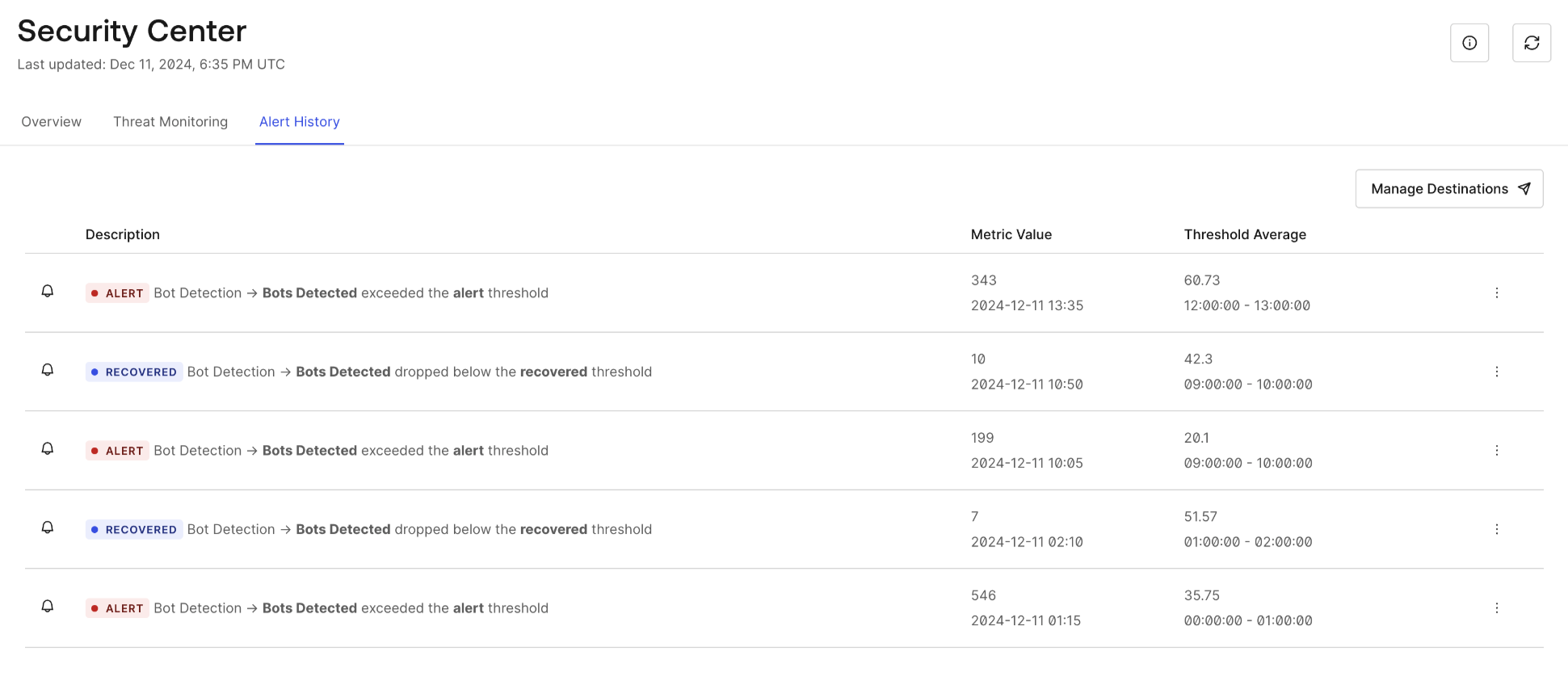
Alert, warning, and recovery notices that have occurred are viewed at Security > Security Center > Alert History. All notices are also sent to your configured notification destinations.